2026
Bulgarian Society Dashboard
The Bulgarian Society Netherlands runs as nine separate organisations: a national board and eight city branches, each with its own bank account, its own Stripe account, its own Instagram, and a board that changes every year. The numbers describing the organisation as a whole were scattered across all of them, and nobody could see them at once.
This is the tool that pulls them into one place. A branch signs in with its own association Google account and sees its own data; the national board signs in and sees everybody. Finance, social growth, event attendance and the written history, behind one login.
Nine boards, one tool
Every branch has its own association Google account, and that account is what signs in. When the board changes, the account is handed over with it, so there are no personal logins to create or retire, and an address that is not on the list cannot get in at all.
The national board sees every branch combined and can switch the whole dashboard to any single branch from the header. A city branch only ever sees its own: no branch picker, no other branches, and no settings.
An export Stripe does not have
Part of the treasurer's job is accounting for the events, and events are paid for through Stripe, which withholds its fee on every transaction before the money arrives. Closing the books on an event means pulling out that event's payments and what was actually received once those fees came off.
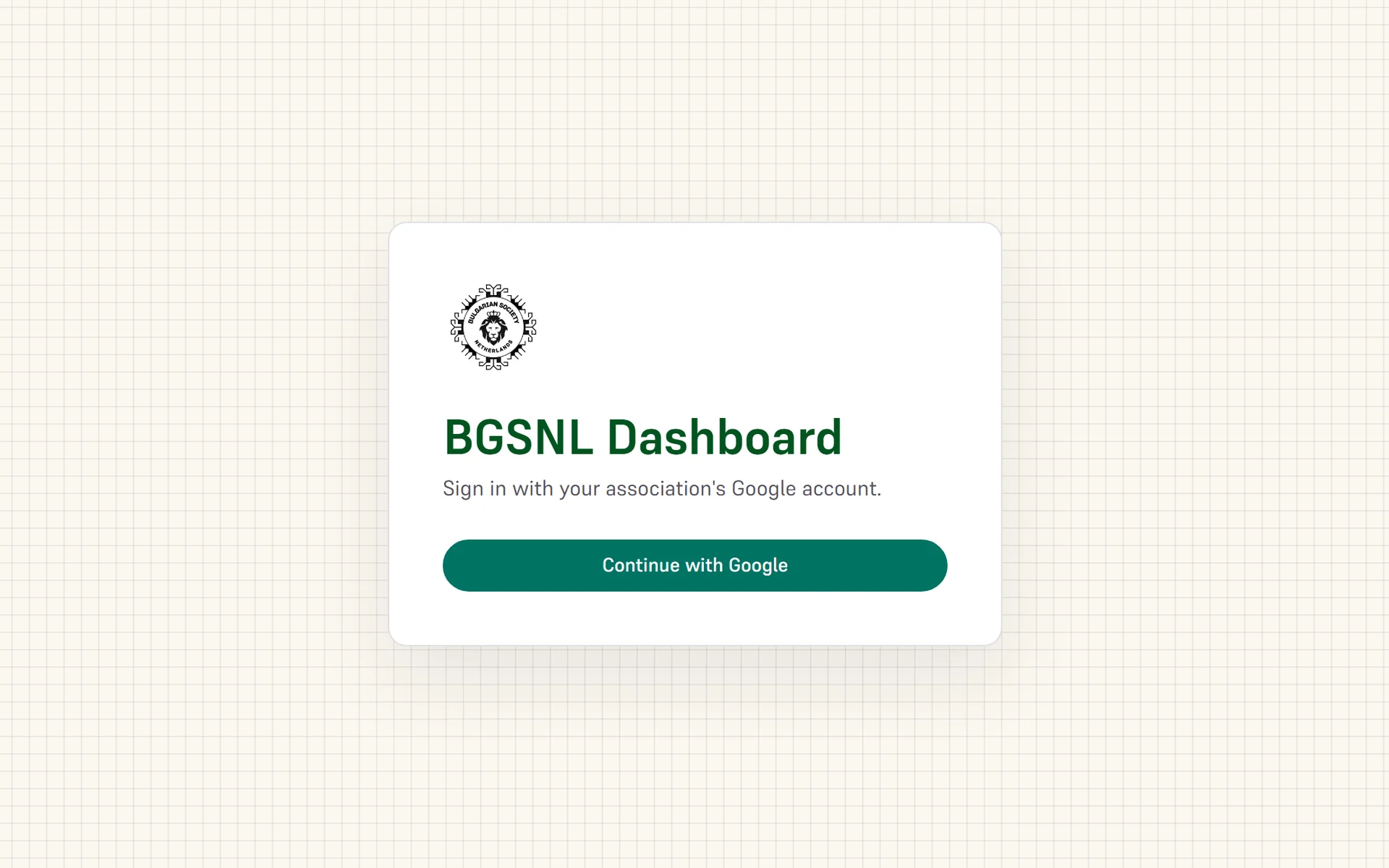
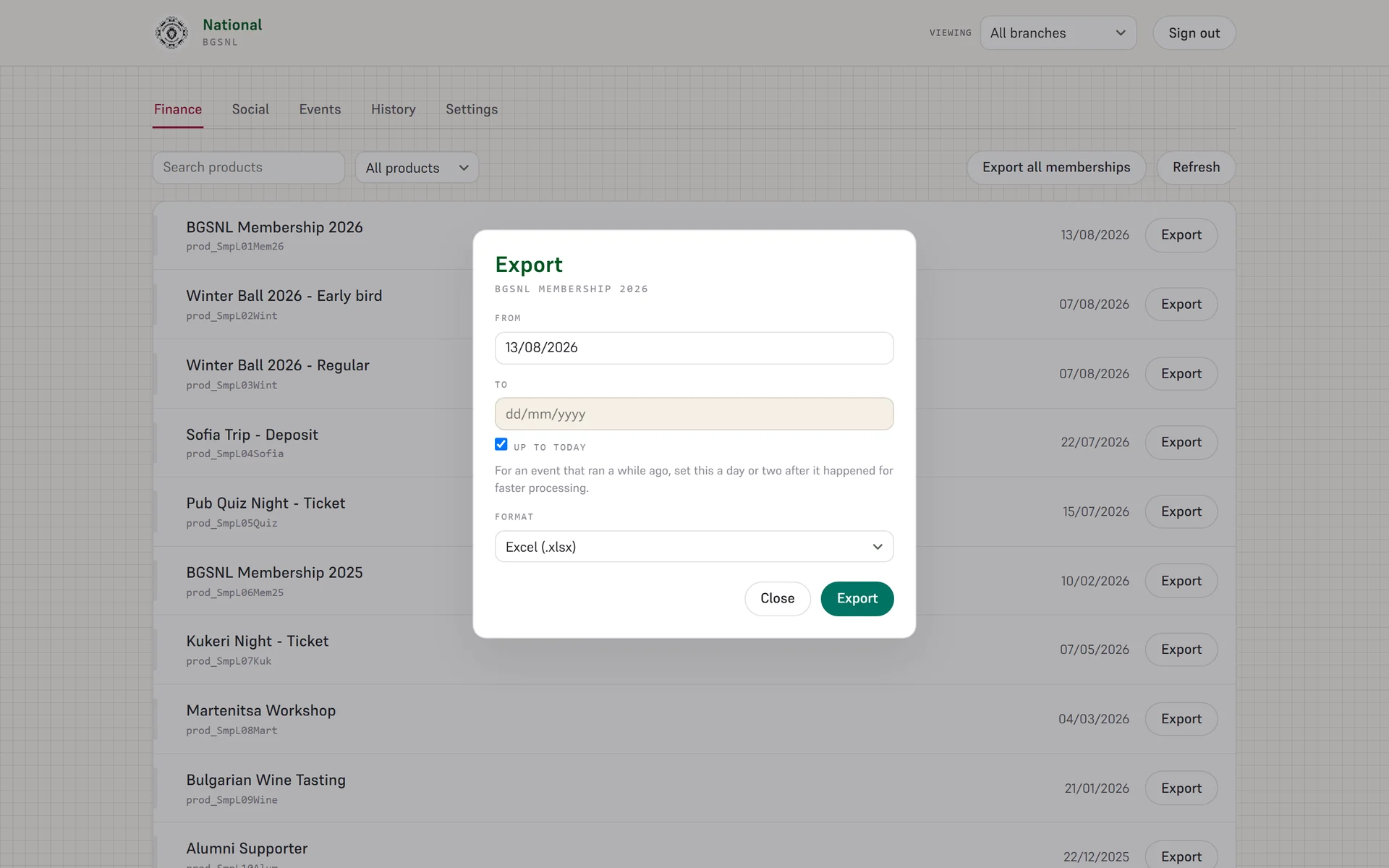
Stripe exports by date. That works for one event at a time and falls apart the moment two are selling at once: the payments interleave and someone has to separate them by hand afterwards. What the job actually needs is an export per product, which is to say per event, and Stripe has no filter for it. So I built one.
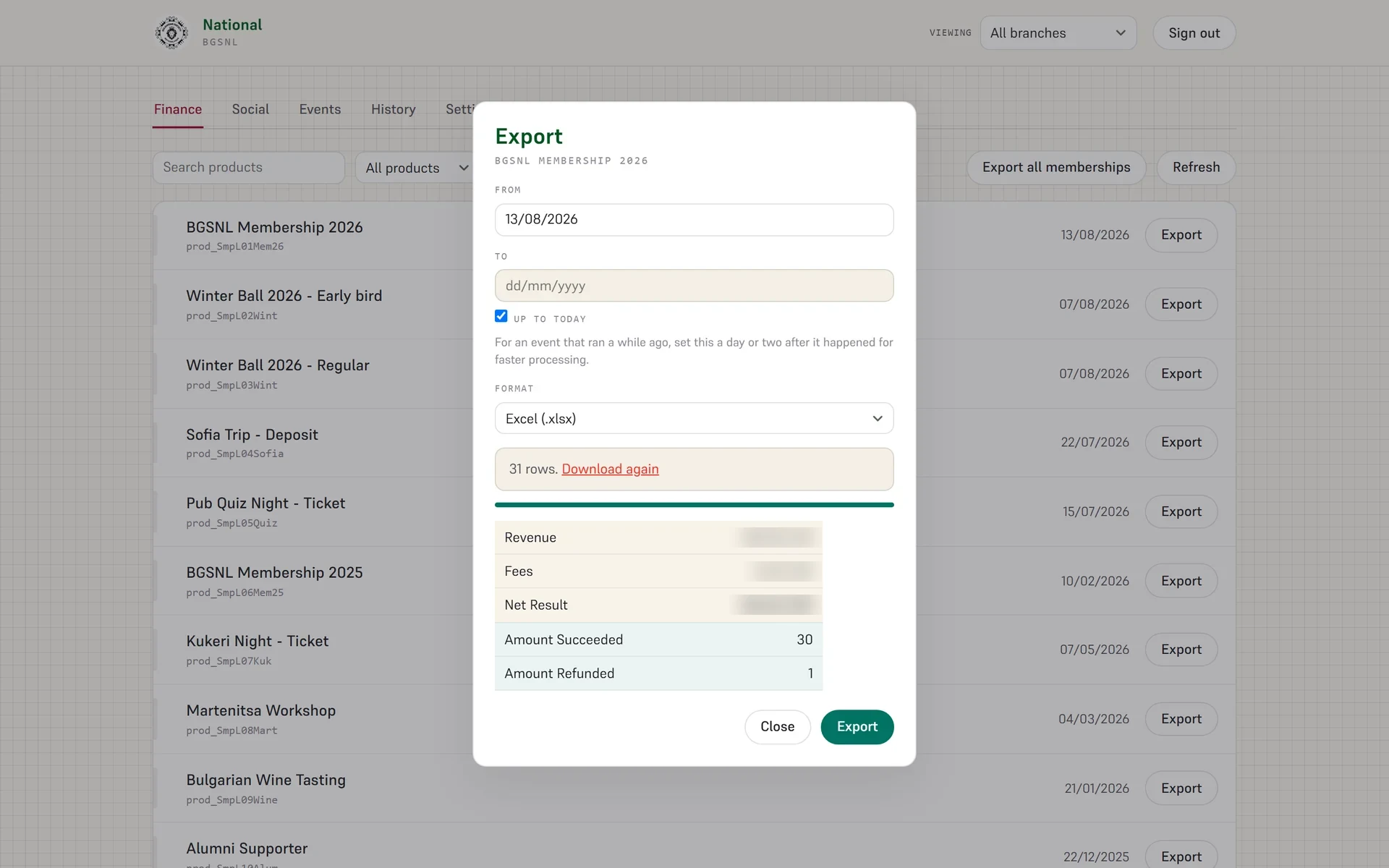
Picking an event from the catalogue and giving it a window runs the export as a background job. What comes back is an Excel file of that event's payments, with the summary table written into the sheet and its formulas already in place, so the totals are calculated rather than retyped.
Linking each branch's Stripe
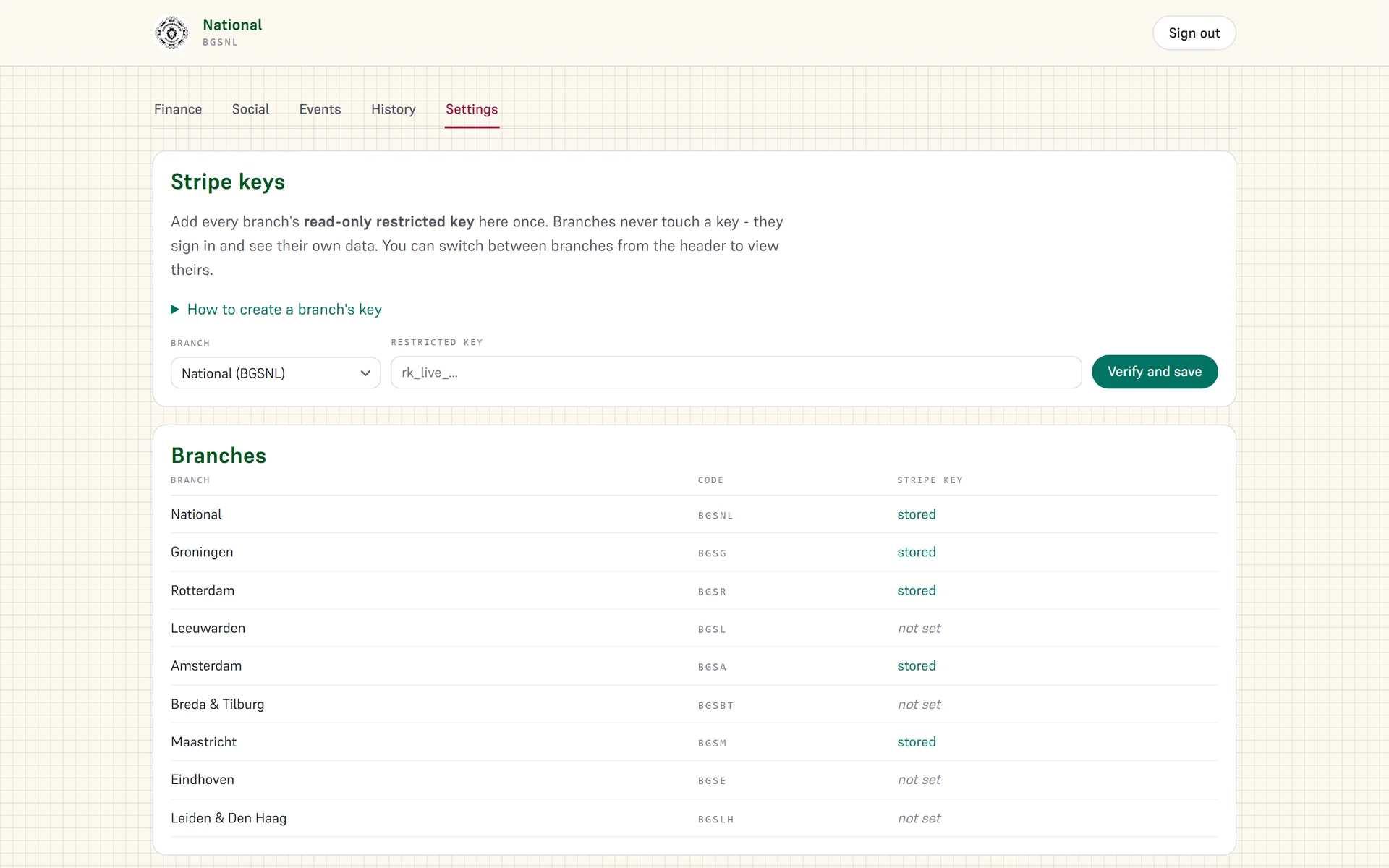
The national board adds each city's Stripe key, a restricted one with read-only access and nothing that could move money, and from then on that branch's payments are linked into the dashboard. It is done once per branch.
Which branch a member belongs to
Events are one-off payments. Memberships are the other half of the money, they renew every year, and the treasurer needs the same thing from them: who paid, for what, and which branch it counts towards.
Stripe does not hold a city on a single subscription. Nothing in the payment says which branch the member joined through, so the export takes the association's own member list and matches the two up.
The obvious key is the customer, and the obvious key is wrong. Most rows match on it, and the ones that do not are the people holding both a city membership and an alumni one: one customer with two memberships, and nothing to say which row is which. The subscription is unique on every row, so the match runs on that.
A branch exports its own members, the national board exports all of them.
Closing the books
Accounting for the memberships was a manual routine in a spreadsheet: export whatever is new, work out each branch's share, paste it underneath what was there last time, re-point the summaries at the new last row, and shade the previous batch so it stays clear what moved when.
That is one button now. A run takes whatever is new since the last one, writes it into the workbook as its own batch with the earlier rows shaded behind it, and rebuilds the summaries. What comes out is the same book the treasurer already works in, down to the layout, and a test compares it against that file cell by cell so a run cannot quietly reshape it.
The only thing kept between runs is which invoices have already been counted. The money itself is read from Stripe every time, because a refund or a fee correction can land weeks late, on an invoice that was written into a batch two updates ago. Anything stored would be wrong by the time it mattered.
It covers the mandate year rather than everything Stripe has ever held: a board accounts for its own year, not for the four before it.
A share taken at the payment
The branches and the national board split every membership between them. That split used to happen afterwards, with the money landing in one account and somebody working out what was owed.
New memberships are charged on the branch's own Stripe account instead, with national's share taken as a fee on the payment itself. Stripe applies it to the first charge and to every renewal after it, so there is nothing to calculate or move by hand.
That leaves the book two kinds of row to account for: the ones already settled that way, and the ones still owed. It reads what was actually transferred rather than recomputing what should have been, and marks those rows so they cannot be paid twice.
Social growth in one place
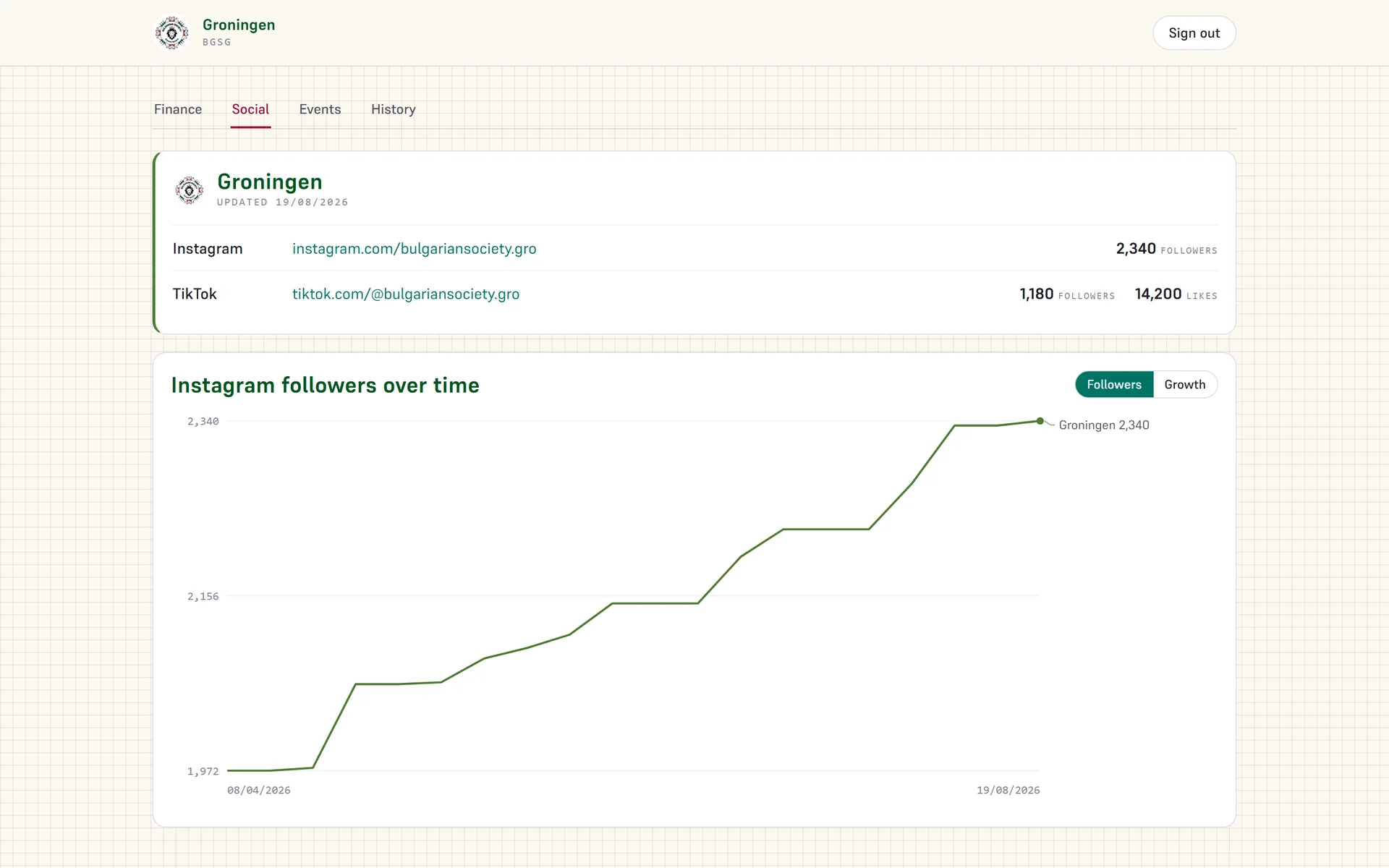
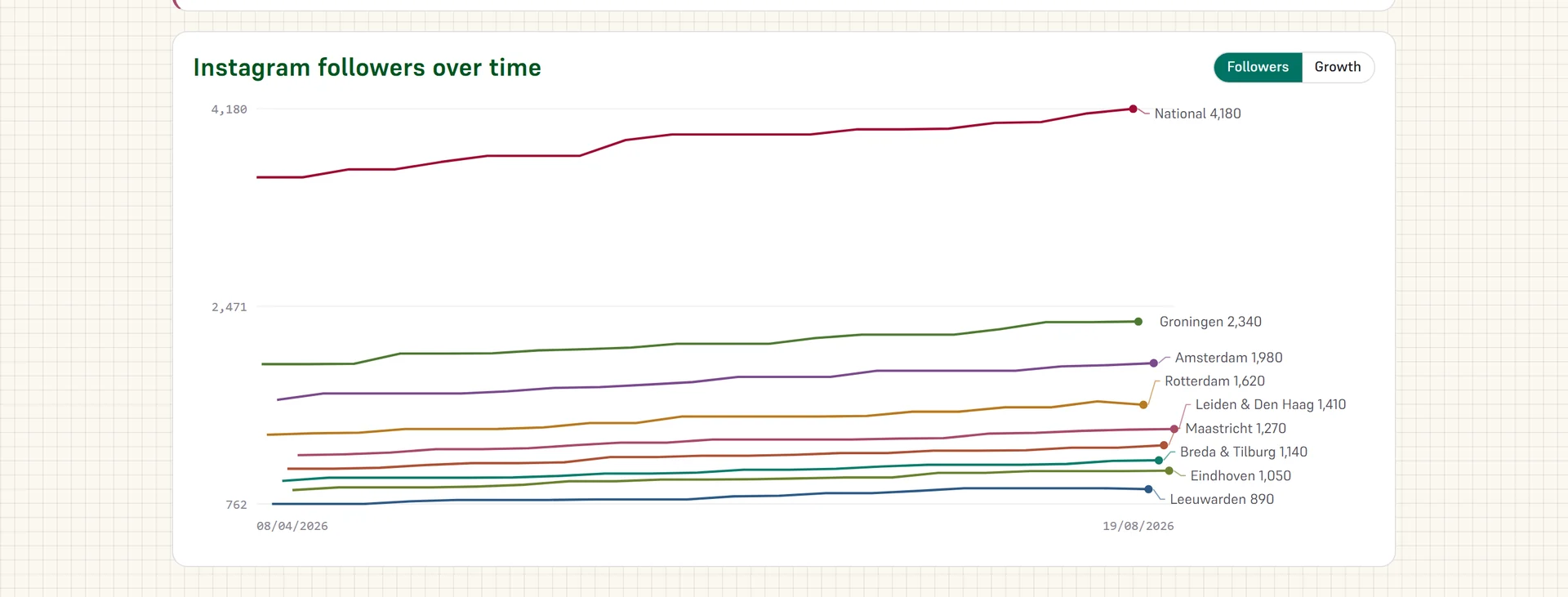
Every branch had its own follower count and no way to see them next to each other. The social tab takes a scheduled reading of each Instagram and TikTok account and appends it, so the numbers build into a history.
Event attendance
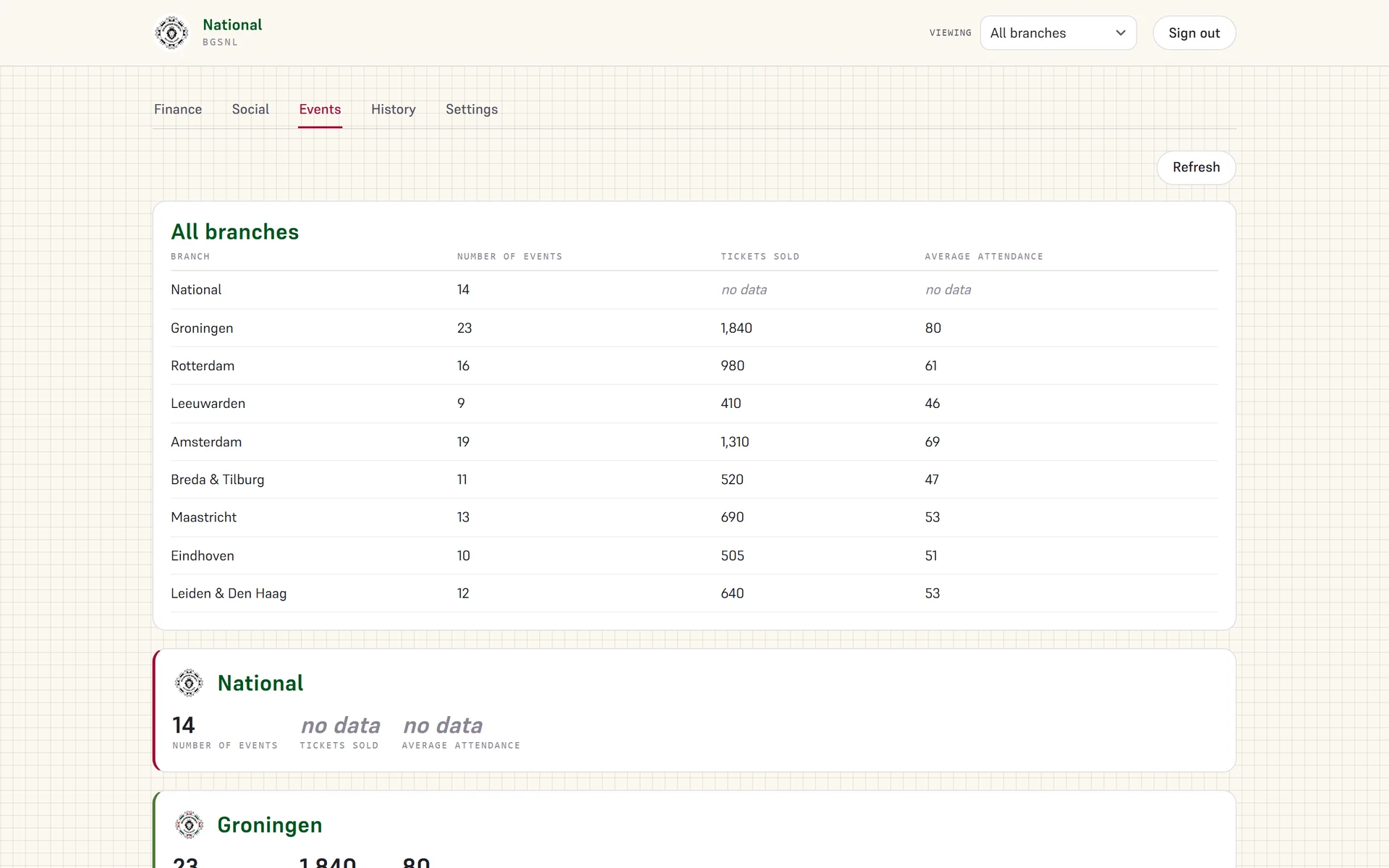
The events tab reads attendance from the organisation's own events API, one call per branch: how many events that branch ran, how many tickets it sold, and the average turnout.
The history lives inside it
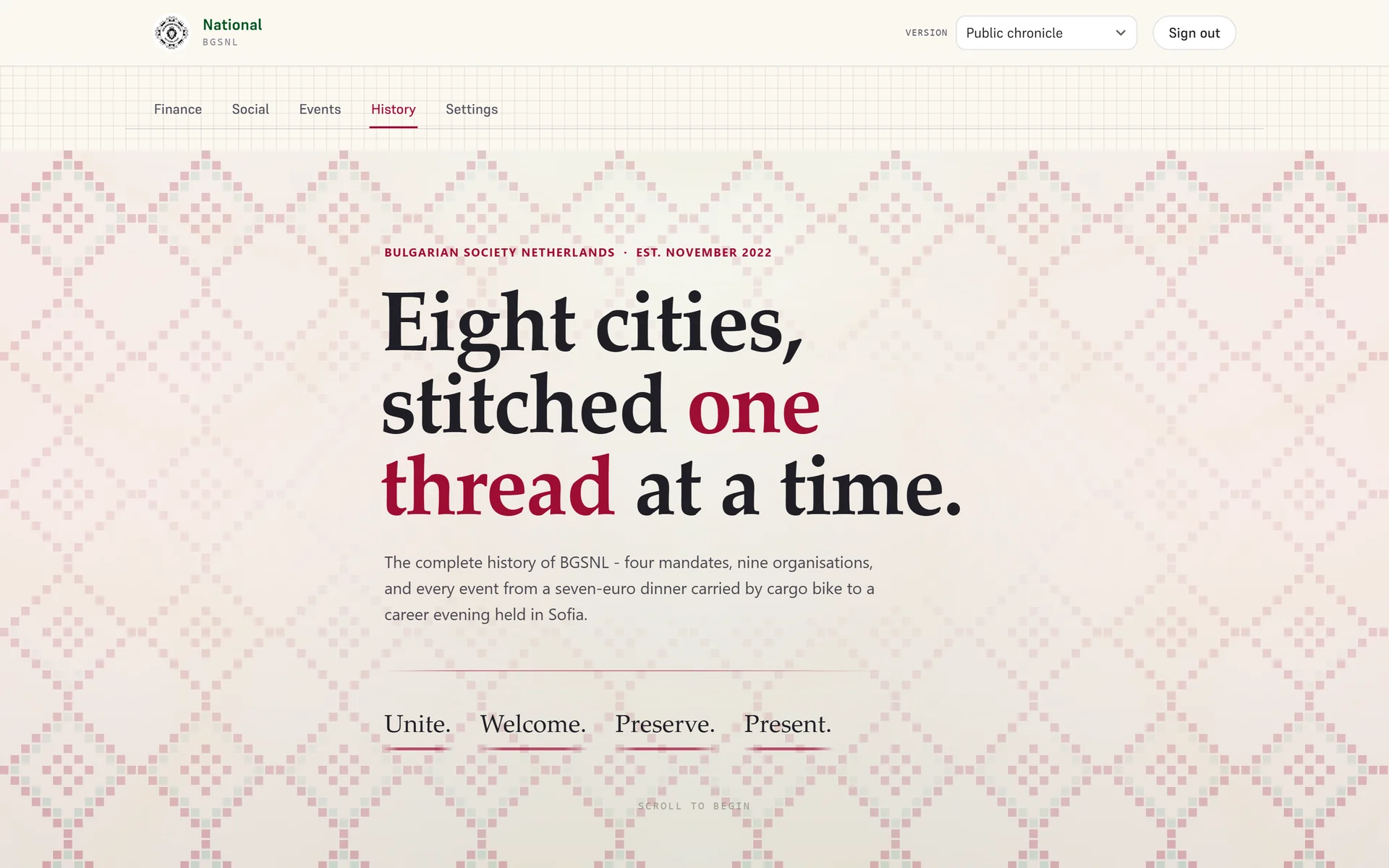
The last tab is the Chronicle, the illustrated history of the organisation, sitting inside the tool the boards use every week. The board running things now can read the four mandates that came before it without leaving the page, and the national board can switch to a confidential version the public one does not carry.
An organisation whose board changes every twelve months forgets things faster than it realises, and a history nobody opens is not a history. One tab away from the exports is the version that actually gets read.
The Chronicle also stands on its own outside the dashboard, so it can be read without a login.